

MicroDens documentation and software
Quick guide, user manual, technical sheet and PC programs for the MicroDens density meter. Support: info@gibertini.com.
Instrument overview
Components, connectors and keys.
Front view
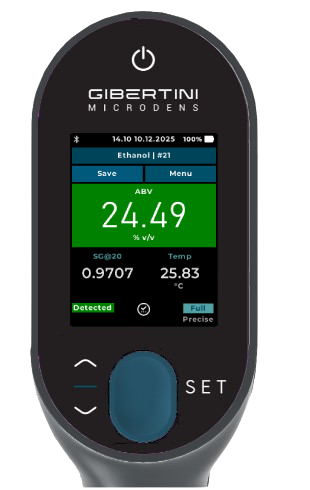
- 2.8" touch display Color display, interface in five languages
- PWR Power on and off: press and hold PWR for at least 3 seconds
- ▲ UP / ▼ DOWN Menu scrolling and value editing
- SET Confirms the selection and opens submenus
- PUSH Sample intake and expulsion
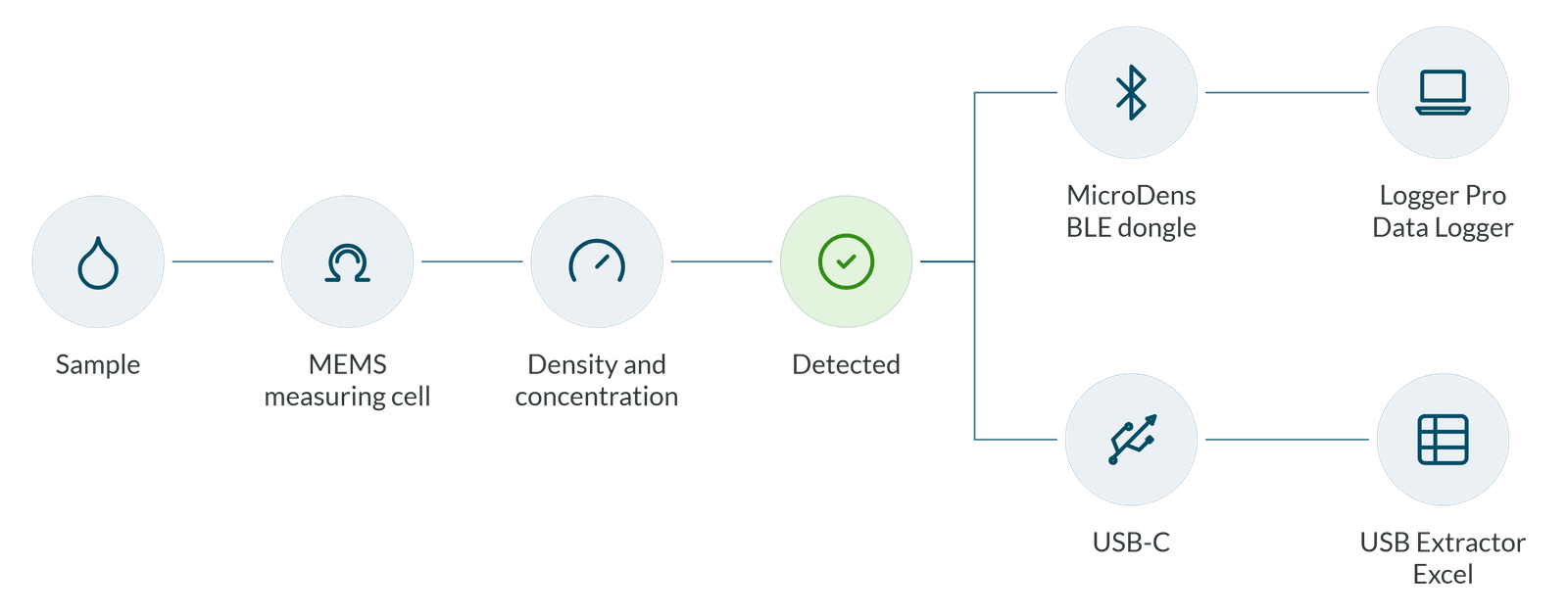
- Bluetooth Connection to the PC through the MicroDens BLE dongle (included) and to the Bluetooth thermal printer supplied by Gibertini
Side view and connections
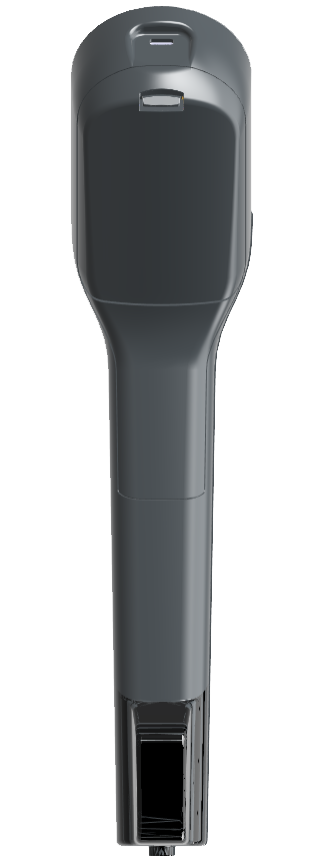
- USB-C connector Charging and connection to the PC
- Filling tube fitting PTFE tube screwed onto the fitting; tighten firmly without forcing
- Battery door Li-Pol battery pack, 3.7 V, 2500 mAh; the door closes with a click
Quick guide
Five steps, from setup to cleaning the cell.
Assembly
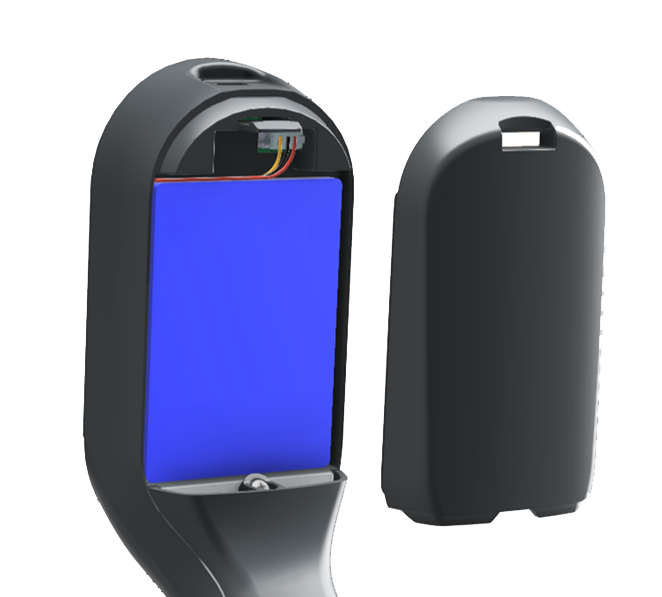
With the display facing down, open the door, insert the battery and close the door until it clicks.
Screw the PTFE filling tube onto the fitting and tighten it firmly without forcing.
Charging
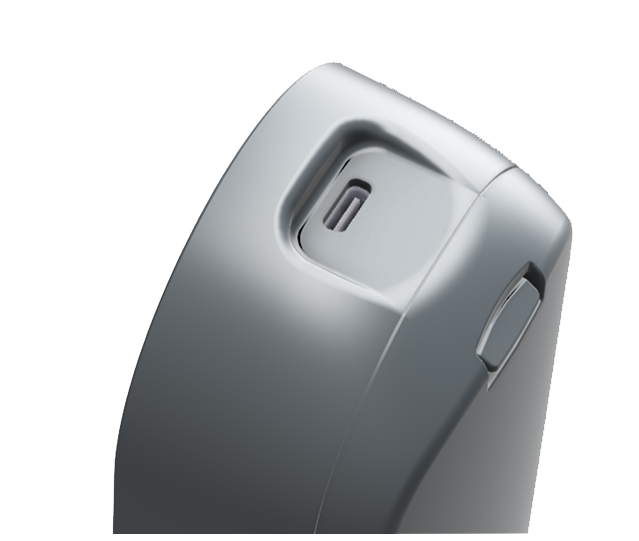
Connect the supplied USB-C cable to the instrument connector.
Full charge: about 3-4 hours.
Battery life: 10 hours of continuous use, 100 hours on standby.
Startup
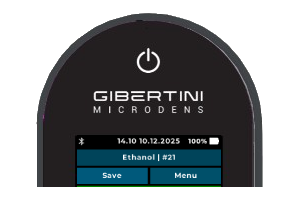
Press and hold PWR for at least 3 seconds. At startup the instrument runs system initialization, piston zero adjustment and a sensor test.
Then set, from Menu > Settings: Language (IT, EN, DE, FR, ES)
→ Date and time
→ Global Units (g/cm³, kg/m³, lb/gal US and IP; °C, °F, K).
Measurement
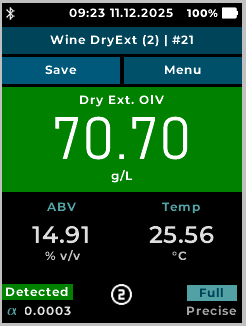
selection
the sample
1 mL intake
Save
expulsion
Cell cleaning
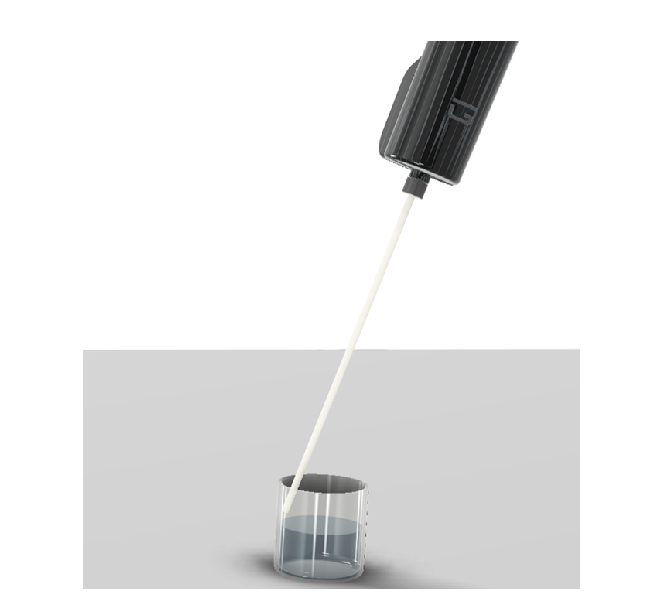
After each work session: draw in the solvent with PUSH, wait 5-10 seconds and expel it; repeat 3-5 times.
Do not use acetone or aromatic solvents (benzene, toluene). Every 9-12 months, lubricate the piston O-ring from Menu > Service > Clean Pump.
PC programs
Three free programs, each with its own download page and manual on software.gibertini.com, and MicroDens Logger Pro, a paid program. All run on 64-bit Windows 10 and 11.
MicroDens USB Extractor
From the MicroDens to Excel with just the USB cable
Reads the entire memory of the density meter over the USB-C cable and writes measurements and adjustments to an Excel file, one row per measurement. Out-of-limits measurements are highlighted in red.
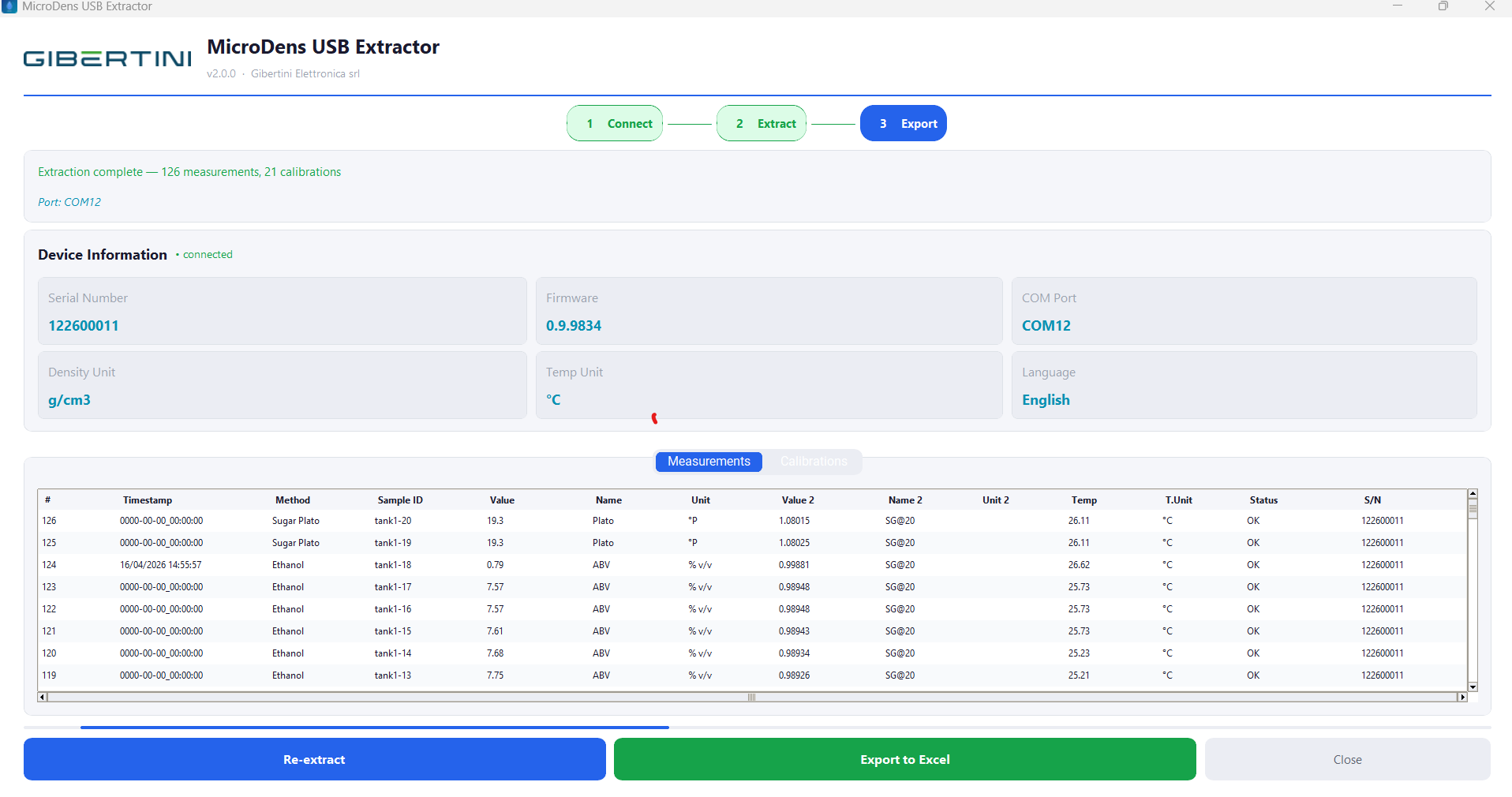
| Connection | Supplied USB-C cable |
| Requires | Microsoft Excel installed on the PC |
| Operating system | Windows 10 or 11, 64-bit |
| License | Free, no registration |
Download, requirements and manual
Every measurement saved on the density meter reaches the PC through the MicroDens BLE dongle, and the program writes it to the open Excel file, one row per measurement. With Send Data on the instrument, the entire memory arrives too.
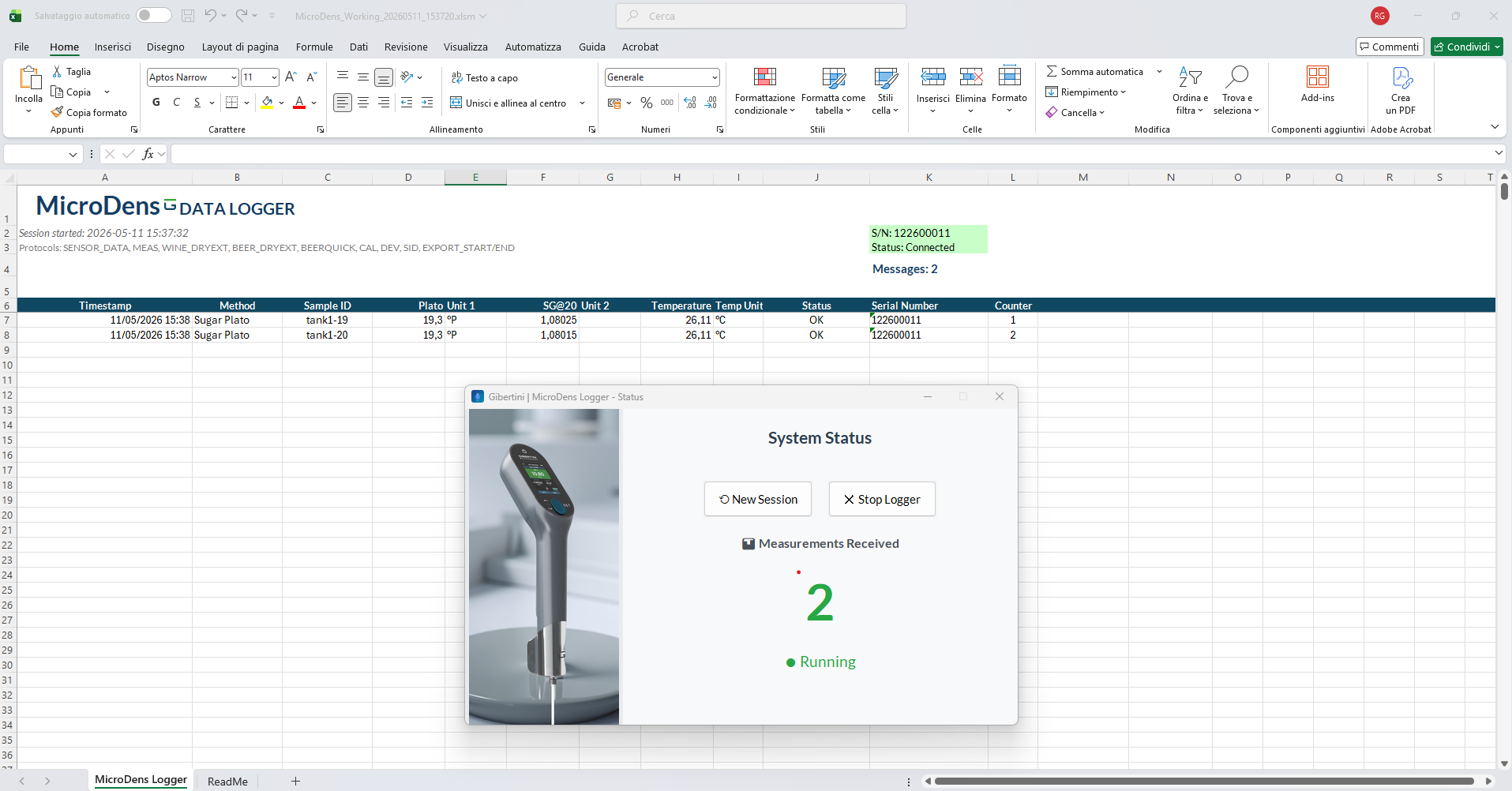
| Connection | Bluetooth, through the MicroDens BLE dongle |
| Requires | Microsoft Excel and the MicroDens BLE dongle (included) |
| Operating system | Windows 10 or 11, 64-bit |
| License | Free, no registration |
Download, requirements and manual
Applies the .mds script prepared by Gibertini service to the MicroDens and logs the result of each command. It downloads the instrument and MicroDens BLE dongle firmware from the Gibertini server and installs it over USB.
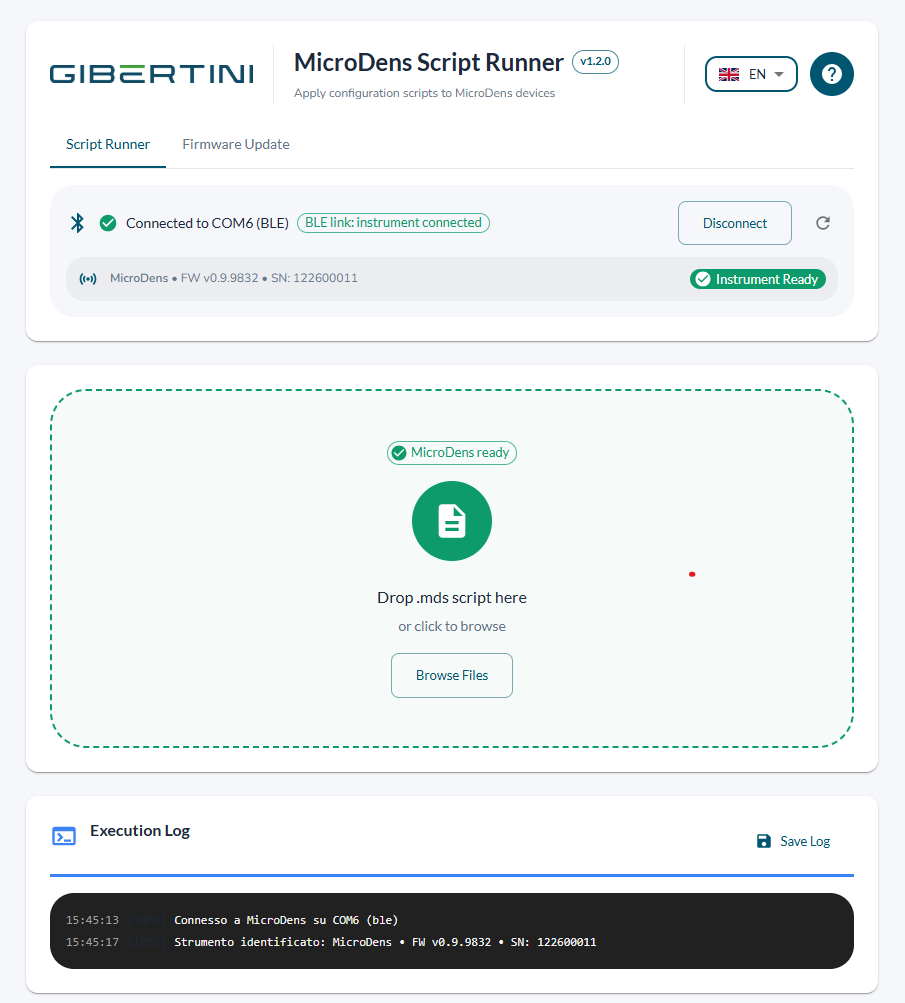
| Connection | USB-C cable or MicroDens BLE dongle |
| Requires | .mds file from Gibertini service; Internet only to download firmware |
| Operating system | Windows 10 or 11, 64-bit |
| License | Free, no registration |
Download, requirements and manual
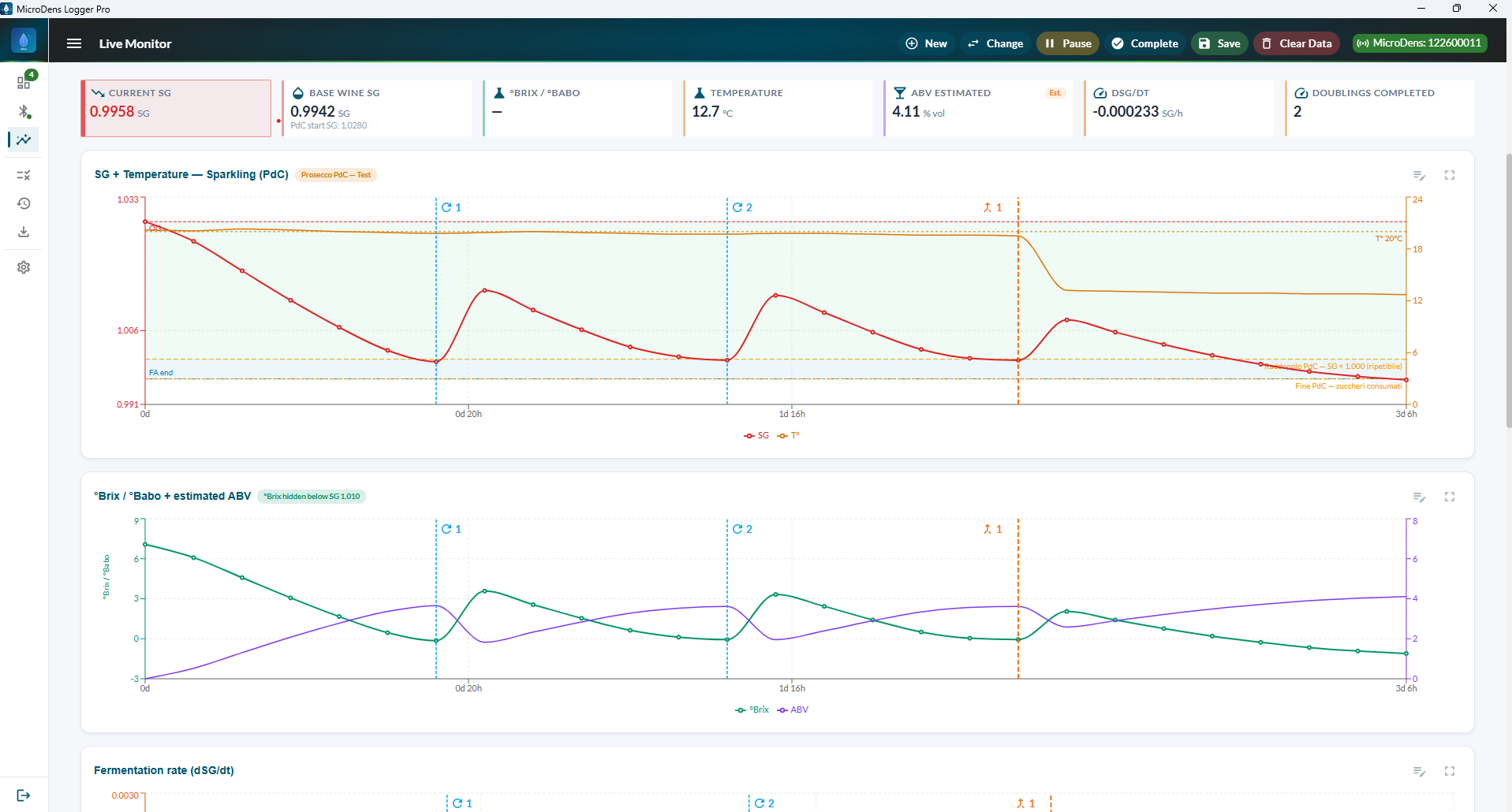
Every measurement saved on the MicroDens enters the active Logger Pro session with the date, time and instrument serial number; the chart and the result against the tolerance update immediately.
| Operating system | Windows 10 or 11, 64-bit |
| Connection | MicroDens BLE dongle on a USB port |
| License | One license per PC, perpetual or fixed-term |
| Activation | Signed license file, no network needed |
| Price | On request |
| Optional module | Fermentation (wine and beer) |
| Free trial | 30 days, Fermentation included, on request |
info@gibertini.com · +39 02 3541434
Frequently asked questions
.mds configuration file received from Gibertini service and updates the firmware.
MicroDens Logger Pro, a paid program, collects measurements in sessions, with charts, limits, batch comparison and Excel, PDF and CSV reports, and offers the Fermentation module for wine and beer. A free 30-day trial version is available on request.
.mds configuration file prepared by Gibertini service to the MicroDens, with the instrument connected to the PC by the USB-C cable or the MicroDens BLE dongle. The execution log is saved to a text file. The same program updates the instrument and dongle firmware, downloaded from the Gibertini server.
- Deionized water: aqueous and sugar samples
- Deionized water or water and ethanol: spirits and wines
- Isopropanol (IPA): oils and fats; for stubborn fatty residues, hexane followed by isopropanol
- Isopropanol and water: difficult residues
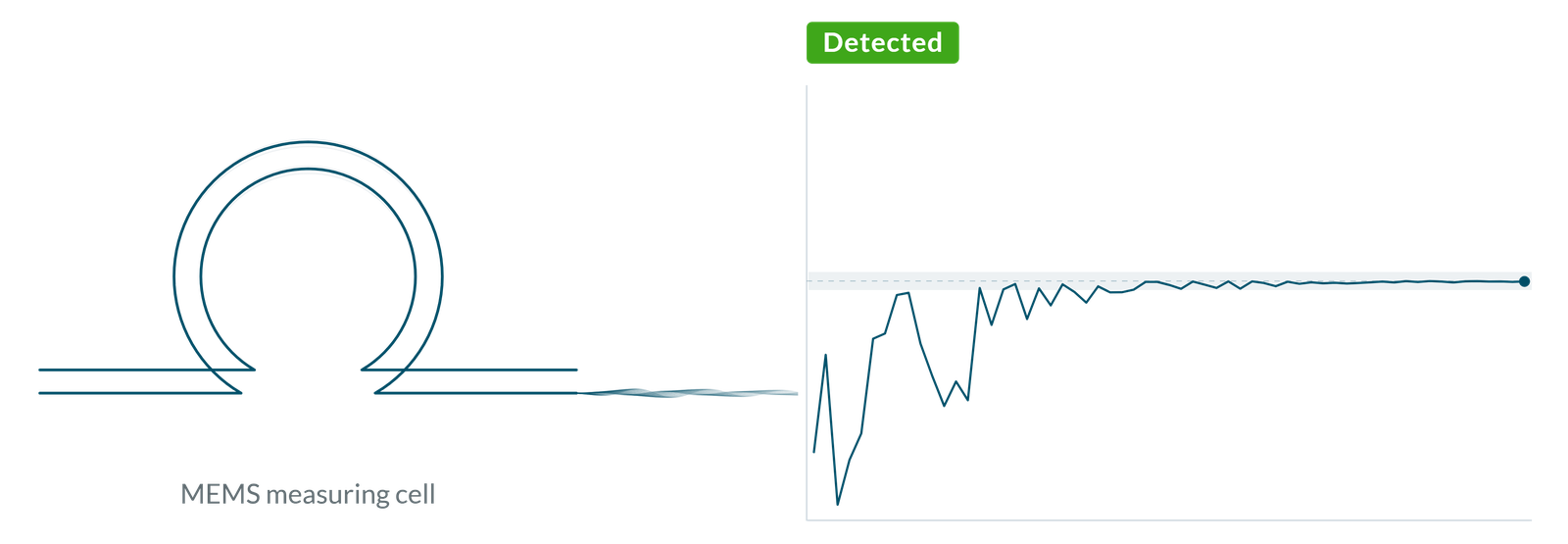
- Learning sample not yet detected;
- Detected successive fillings agree and the reading is stable.
Saving remains the operator's choice: tap Save on the display.
- Support, information and quotations: info@gibertini.com
- +39 02 3541434
- Monday to Friday, 9:00 AM – 6:00 PM
Technical support
Technical support, instrument configuration and user methods:
info@gibertini.com, +39 02 3541434.